


你好,
我们能为您做些什么?
我们能为您做些什么?



How to set up proxy on iPhone
1. Open your iPhone settings.
2. Click "Wireless Network."
3. Select the information icon to the right of the network you are connected to.
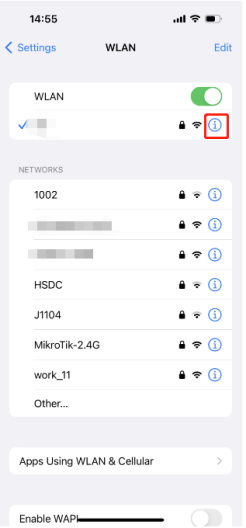
4. Scroll down to the HTTP proxy section.
5. Click "Manual."
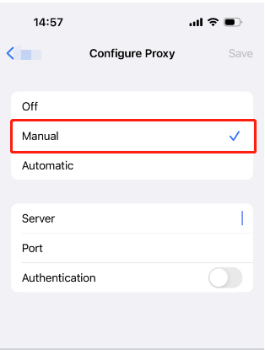
6. Edit your proxy settings, enter the server and port. If the network IP is not allowlist in the dashboard, turn on authentication and add your Username and Password.
7. Click to return to the Wi-Fi selection window. This will save your proxy settings.
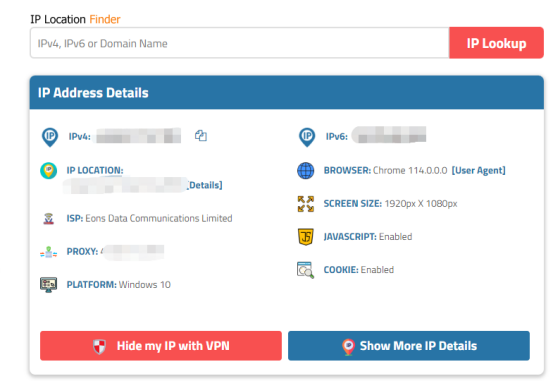
8. To see if the proxy is working, check the IP at https://www.iplocation.net/.
vmoscloud XCrawl whoer MuLogin指纹浏览器 VMLogin指纹浏览器 Buyaacc 见远导航 zvcard FoxPhone云手机
CLOUD BRIDGE INFORMATION TECHNOLOGY CO.,LIMITED @ 2022 All Rights Reserved



