



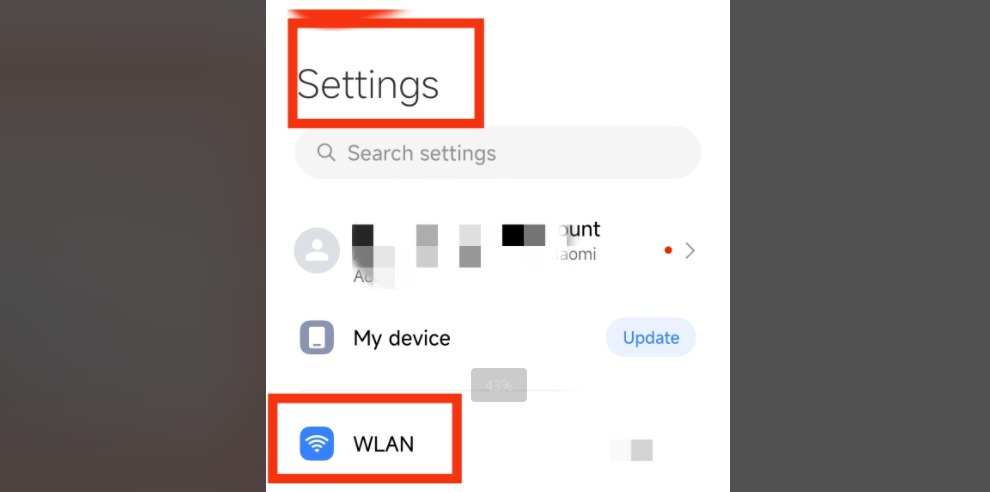
2、Tap to enter the network details page, scroll down, and find the "Proxy" option, then tap it.
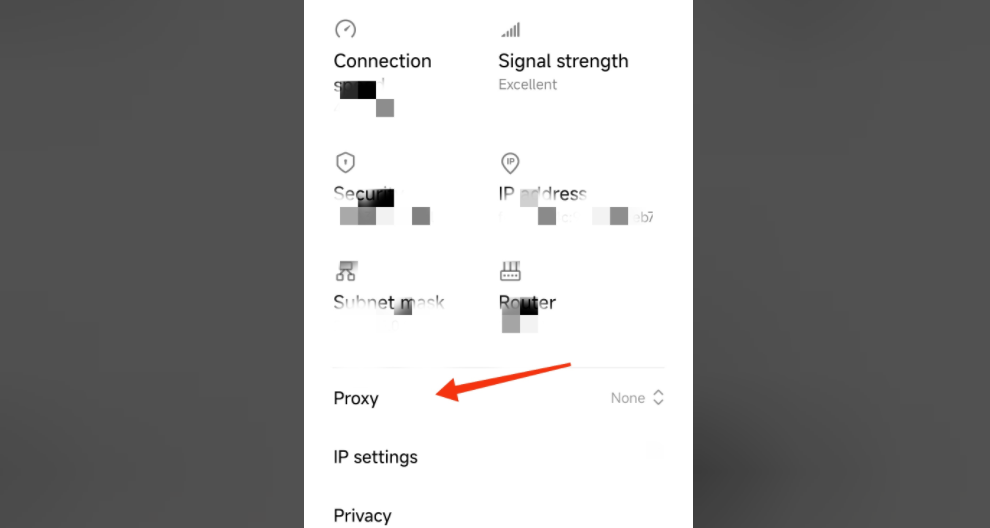
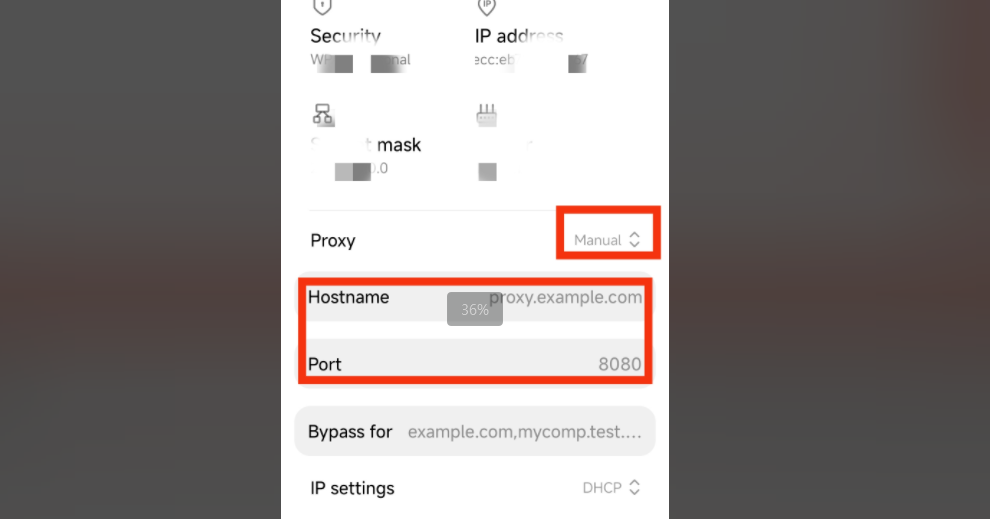
3、Set the proxy server to "Manual."
4、Modify your proxy settings by entering the hostname and proxy port, then tap "Save".
5、To see if the proxy is working, check your IP address at https://www.iplocation.net.





