


नमस्ते, हम आपकी सहायता कैसे कर सकते हैं?
जल्दी से शुरू करने के लिए अमीर उत्पाद प्रलेखन और उपयोगकर्ता गाइड ट्यूटोरियल गाइड।


जल्दी से शुरू करने के लिए अमीर उत्पाद प्रलेखन और उपयोगकर्ता गाइड ट्यूटोरियल गाइड।
1. To set up a proxy on the Windows 10 operating system, first go to Windows Settings and click on "Network & Internet."
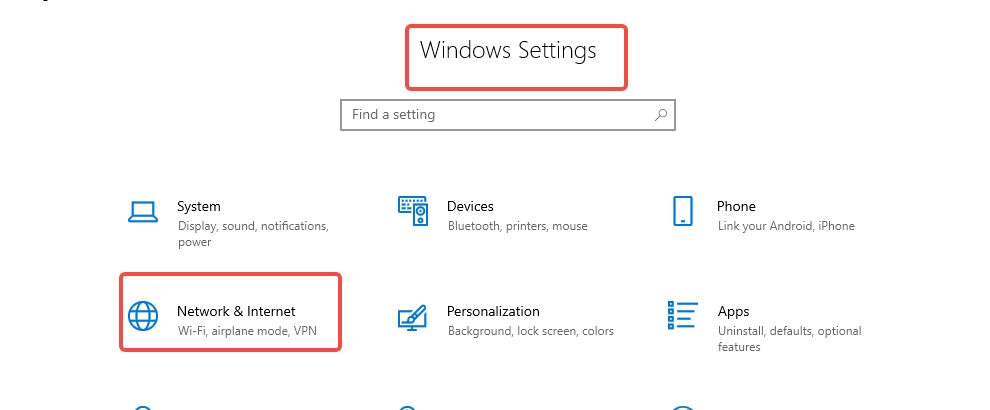
2. In the proxy settings window, scroll down to the Manual proxy settings section and make sure the Use a proxy server switch is turned on.
3. Fill in the address and port fields with the desired endpoint . Then, click "Save."


No more
No more



 Hindi
Hindi 
vmoscloud XCrawl whoer MuLogin Antidetect Browser VMLogin Antidetect Browser Buyaacc BEWISER1 zvcard FoxPhone Cloud Phone
CLOUD BRIDGE INFORMATION TECHNOLOGY CO.,LIMITED @ 2022 All Rights Reserved


