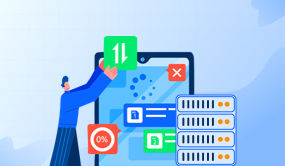
Setting up a proxy server on your iPhone can provide numerous benefits, such as enhanced privacy, security, and access to geo-restricted content. In this guide, we will walk you through the process of setting up a proxy on your iPhone, covering everything from SOCKS5 proxy settings to configuring proxy servers on Windows.
First, let's start with understanding what a proxy server is and why you might want to use one on your iPhone. A proxy server acts as an intermediary between your device and the internet, allowing you to route your internet traffic through a different IP address. This can help protect your identity and sensitive information from being exposed to potential threats.
To set up a SOCKS5 proxy on your iPhone, you will need to have the necessary credentials and server information provided by your proxy service provider. Once you have this information, follow these steps:
1. Open the Settings app on your iPhone. 2. Tap on Wi-Fi and select the Wi-Fi network you are connected to. 3. Scroll down and tap on 'Configure Proxy.' 4. Select 'Manual' and enter the proxy server address and port number. 5. If required, enter the username and password provided by your proxy service. 6. Tap 'Save' to apply the proxy settings.
Congratulations! You have successfully set up a SOCKS5 proxy on your iPhone. Now, let's explore how to set up a proxy server on Windows and configure it for use on your iPhone.
Setting up a proxy server on Windows:
If you want to use your Windows PC as a proxy server for your iPhone, you can do so by following these steps:
1. Open the Control Panel on your Windows PC. 2. Click on 'Internet Options' and go to the 'Connections' tab. 3. Click on 'LAN settings' and check the box for 'Use a proxy server for your LAN.' 4. Enter the IP address and port number of your Windows PC in the respective fields. 5. Click 'OK' to save the changes.
Now that you have set up a proxy server on your Windows PC, you can configure your iPhone to use this proxy by following the earlier steps to enter the proxy server address and port number in the Wi-Fi settings.
In conclusion, setting up a proxy server on your iPhone can be a valuable tool for enhancing your online security and privacy. Whether you choose to use a SOCKS5 proxy or set up a proxy server on your Windows PC, taking control of your internet traffic can provide peace of mind and access to restricted content. We hope this guide has been helpful in understanding the process of setting up a proxy on your iPhone.
यह वेबसाइट उपयोगकर्ता अनुभव को बेहतर बनाने के लिए कुकीज़ का उपयोग करती है।हमारी कुकी नीति के बारे में अधिक जानने के लिए या इसके बारे में ऑप्ट आउट करने के लिए, कृपया हमारी जांच करें
गोपनीयता नीतितथा
Cookie मतैक्य